
This FAQ provides a detailed breakdown of supported platforms and runtime environments for SciChart WPF. It includes version-specific notes and answers to the most common and pressing questions to help you get started with confidence.
Q: What is the latest version of SciChart WPF and what .NET versions does it support?
The latest version of SciChart WPF is v9. This version supports .NET Framework 4.6.2-4.8.1 and .NET 6.0-10.0. The full changelog for the latest version is available at this link
Q: What are the .NET versions that SciChart.Charting.dll supports?
The following lists the supported .NET versions for major SciChart WPF releases.
- SciChart WPF v9.x supports .NET Framework 4.6.2-4.8.1 / .NET 6.0-10.0
- SciChart WPF v8.x supports .NET Framework 4.6.2-4.8.1 / .NET Core 3.1 / .NET 6.0-10.0
- SciChart WPF v7.x supports .NET Framework 4.6.2-4.8.1 / .NET Core 3.1 / .NET 6.0-10.0
- SciChart WPF v6.x supports .NET Framework 4.5.2-4.8.1 / .NET Core 3.0
- SciChart WPF v5.x supports .NET Framework 4.5-4.8.1
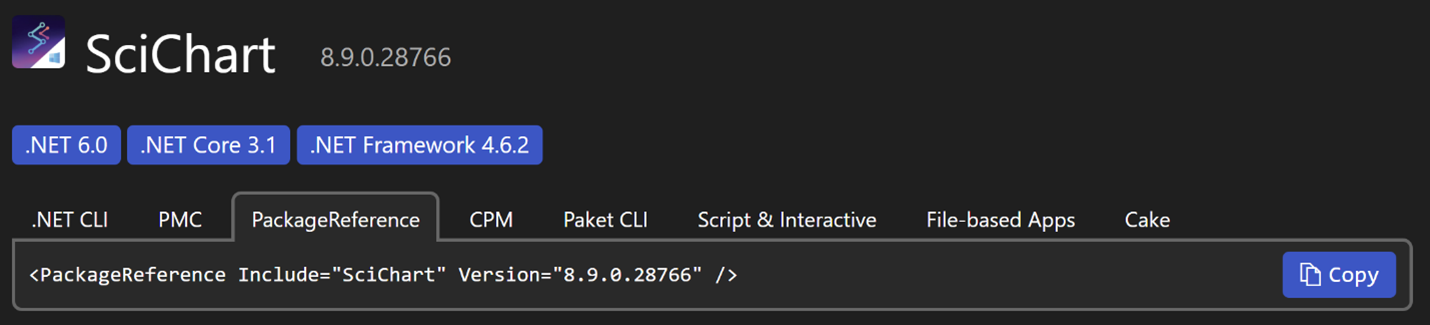
All supported .NET versions for each version of SciChart WPF are listed on NuGet
Q: Does SciChart WPF support .NET 8.0, .NET 9.0 and .NET 10?
Yes, the latest version of SciChart WPF targets .NET 6.0, which is forward-compatible with newer .NET releases. This means SciChart WPF can be used in applications targeting .NET 6 and later, including modern runtimes such as .NET 10. For older versions of SciChart WPF, please refer to the platform support information above.
Q: Where can I find information about SciChart WPF releases?
All SciChart WPF releases are covered in our news/releases category on our website.
Q: Where can I download a SciChart SDK Installer?
All SciChart SDK Installer downloads are available here.
Q: Can I install SciChart WPF from NuGet?
Yes, the latest SciChart WPF packages are listed on NuGet as package "SciChart"
Q: Where are the DLL files on disk after the installation?
If SciChart WPF has been installed using a SciChart SDK Installer and , the DLL files can be found in the installation directory, which defaults to C:\Program Files (x86)\SciChart\SciChart SDK\Lib or C:\Users\USERPROFILE\AppData\Local\Programs\SciChart\SciChart SDK\\Lib if "Only for me" option has been chosen during SciChart SDK installation. This directory includes net462, netcoreapp3.1 and net6.0-windows subdirectories, each named according to the supported target framework.
If SciChart WPF has been installed as a NuGet package, the DLL files can be found in the output directory of your project, which defaults to bin\Debug or bin\Release depending on the build configuration. The output directory includes subdirectories named according to the target framework(s) specified for your project.
Q: Is there a free community edition of SciChart WPF?
No, SciChart WPF does not currently offer a free community edition. SciChart WPF is distributed under a commercial license, but you can start a Free 30-Day SciChart WPF Trial for evaluation purposes. For more details about licensing options and pricing, you can visit the official shop on our website or contact our sales team.
Q: Why am I getting a license watermark with the SciChart WPF Trial license?
When operating under a Trial license, SciChart WPF displays a license watermark to indicate that the product is running in trial mode. This watermark will disappear once you activate SciChart WPF with a valid commercial license.